GPS Navigation, Map Directions
- 3.8
- Rating
- 10.00M
- Installs
- Free
- Price

 Analysis by App-foxy
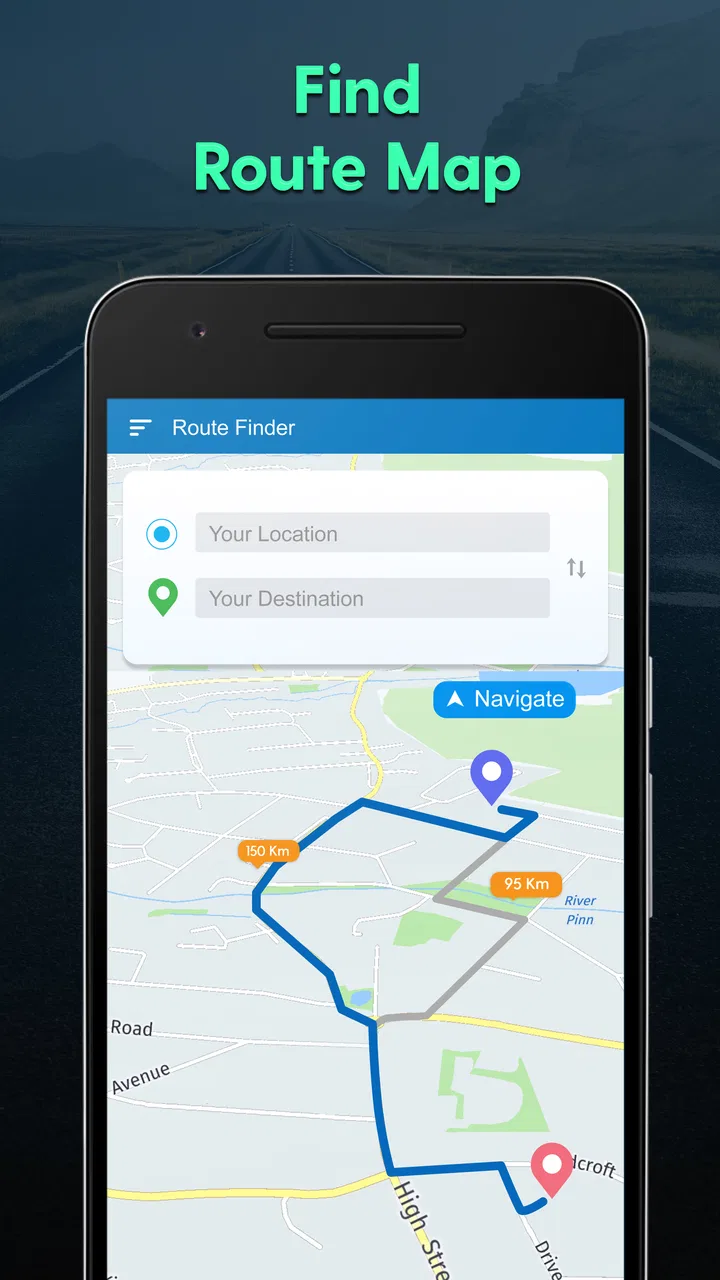
I approached GPS Navigation, Map Directions as a practical driving companion rather than a full replacement for every map service on my phone. Its purpose is straightforward: help me plan a route, look for a shorter way, find nearby places, and check weather information while I am moving around. That focused combination makes it useful for quick decisions, especially when I do not want to spend time navigating through a crowded interface.
The app comes from ShamiTech Apps and sits in the maps and navigation category. It is free to install, suitable for Everyone, and supports devices running Android 7.0 or later. The current version is 3.67, and the app has passed five million installs with an average rating of 3.9 from roughly seventeen thousand ratings. Those figures suggest a well-established tool with a broad audience, although the rating also tells me to keep expectations realistic: this is a handy utility, not necessarily the most polished navigation experience available.
How I use it for an ordinary trip
My baseline workflow is simple. I open the app before leaving, enter where I want to go, review the suggested route, and then decide whether the shortest-looking option is actually sensible. That last step matters. A route that saves distance may include awkward turns, unfamiliar roads, or a less comfortable approach to the destination. I prefer to treat the app's route as a recommendation and use my own knowledge of the area to make the final choice.
You May Also Like

 Blood Strike: 2.5 Anniversary
Blood Strike’s Loadouts Turn Every Drop Into a Tactical Gamble
A close look at Blood Strike’s custom loadouts: how fast access to signature weapons reshapes its battle royale rhythm, rewards preparation, and narrows the gap between fights.

 Pandora - Music & Podcasts
Pandora’s Music Is Easy to Start, but Harder to Recover
Pandora’s strength is its low-effort path from a seed to a station. Its weak spot is how much confidence it asks you to place in connection, setup, and quiet recovery.

 8 Ball Pool
 Is Built on Rivalries, Rematches, and Routine
A close look at the rivalries, rematches, shared routines, and unanswered safety questions that turn a quick pool match into a persistent mobile community.

 Samsung Music
’s Quiet Strength Is Playing What You Already Own
Its reach comes less from spectacle than from dependable access to a personal library. That simplicity is both the app’s strongest retention engine and its ceiling.

 AccuWeather: Weather Radar
AccuWeather Review: A Quick, Clear Forecast for Everyday Decisions
For everyday plans, the best forecast is the one you can understand quickly. AccuWeather makes rain timing, radar, and local conditions easy to act on, with a few trade-offs.

 Hill Climb Racing
Why Hill Climb Racing Still Turns Crashes Into One More Run
A tiny car, a bumpy hill and one more upgrade: Hill Climb Racing keeps resurfacing because its simple chaos makes every near-miss feel personal.
More From Our News Desk



For a normal errand, the experience is at its best when I already know the general destination but need help with the final details. For example, if I am visiting a shopping area in another part of town, I can use the app to identify a route and then search around the destination for a nearby fuel station, café, pharmacy, or parking-related stop. This is more useful than planning the entire day around a map because it keeps the workflow focused: route first, practical stop second, weather check before leaving.
The most useful habit is to separate route planning from route following. I check the path while stationary, look for an obvious alternative, and only then start moving. This reduces the temptation to make hurried changes while driving. It also gives me a chance to notice whether the suggested destination is a broad area or a specific place, which can make a real difference when several businesses share a similar name.
The nearby-places function is particularly helpful for short, unplanned stops. If I am already on the road and realize I need something basic, searching near my current area is quicker than manually browsing a large map. I would still verify the result before relying on it, because place information can change and a map result is not the same thing as guaranteed opening availability or a reserved parking space.
Weather information adds a useful planning layer, but I see it as a quick check rather than a dedicated weather service. Before a longer drive, I can use it to decide whether the conditions look comfortable enough for the trip or whether I should allow extra time. It is a small feature, yet it fits naturally with navigation: the route may be clear, but rain or poor conditions can change how practical that route feels.
Settings I would check before depending on it
I recommend spending a few minutes reviewing the app's available settings and the way it presents routes before using it for an unfamiliar journey. Navigation apps are easier to trust when their behavior matches your expectations. Check how destinations are entered, how route alternatives are displayed, and whether the map view is easy for you to read at a glance. A setting that seems minor at home can become distracting when you are trying to make a turn in an unfamiliar area.
I also pay attention to the difference between a shortest route and a comfortable route. The store summary emphasizes finding a shortest path, but shortest does not always mean best. For a bicycle, a delivery run, a family trip, or a large vehicle, the most direct path may not suit the situation. I use the shortest option as a starting point, then consider road familiarity, turning complexity, and the type of traffic I expect.
Another useful preparation step is deciding how much information I want on screen. A clean map is easier to interpret than a cluttered one, particularly when I am checking a route quickly. If the app gives me several nearby choices, I narrow them down before setting off instead of repeatedly searching while traveling. This is not a special feature; it is a repeatable habit that makes the app feel faster and safer to use.
Because the app includes weather updates, I would also make that part of a departure routine for trips where conditions matter. I check the weather before choosing between a quick local route and a longer journey. If the forecast looks uncomfortable, I can use the information to postpone the trip, add time, or plan a stop. The app does not need to become my complete weather dashboard to be useful in this role.
Privacy-conscious users should take a moment to consider whether they are comfortable using a location-based navigation service and should review the device's permission controls in the usual way. I do not treat any navigation app as something that should be left running unnecessarily. When I have finished the journey, I close the task rather than keeping a map open simply out of habit.
Shortcuts that make repeat trips less tiring
Experienced use is less about discovering a secret button and more about repeating a sensible sequence. For places I visit often, I prepare the destination before leaving instead of typing it while parked at the curb. I also search for nearby places using a specific need rather than a broad category. “Coffee near destination” is more useful in practice than opening a general list and scrolling through every result.
One effective pattern is to plan in layers. First, choose the destination. Second, inspect the route and identify the point where the trip may become confusing. Third, search for one nearby place that could solve a practical need. Finally, check the weather if the journey is long enough for conditions to matter. This sequence keeps the app from becoming a constant source of interruptions and makes each feature serve a clear purpose.
For a repeat commute, I would compare the route at different departure times rather than assuming the same path is always best. Even without treating the app as a live traffic authority, looking at the available route choices can reveal whether the shortest path is still convenient. If I know from experience that a particular turn is stressful or difficult to access, I choose a slightly less direct alternative when the app makes one available.
There is also a useful distinction between finding a place and navigating to it. If I am meeting someone at a large venue, I search for the venue first, then inspect nearby results for a practical stopping point. This avoids the common mistake of navigating to a business name that has several branches or to a general street address that leaves me far from the entrance I actually need.
When I am planning for another person, I use the app to settle the route before handing over the phone or explaining the directions. That is more reliable than describing every turn from memory. It also makes the conversation clearer: we can discuss the selected destination and the likely stopping point instead of mixing route instructions with last-minute searches.
The free price makes these habits easy to try without committing money at the start. There are in-app purchases priced at $2.49 per item, so I would examine what an optional purchase changes before paying. I would not assume that spending money automatically makes the route more accurate or more appropriate. The basic value of this app comes from combining directions, nearby searches, and weather checks in one place.
Where the app is strong, and where I would be cautious
GPS Navigation, Map Directions is strongest as a lightweight, multi-purpose helper. I like that it brings route planning and nearby-place discovery together instead of forcing me to jump between separate tools for every small decision. The weather element is also convenient when I am preparing for a trip and want a quick environmental check without opening another app.
It is less convincing for people who need a highly specialized navigation system. If you depend on detailed public-transit planning, cycling-specific guidance, walking accessibility information, commercial-vehicle restrictions, or extensive offline preparation, a dedicated service may be a better fit. This app's central appeal is convenience, not the promise of covering every travel mode with professional depth.
I would also be cautious about treating “shortest” as a universal measure of quality. A short route can be inconvenient, and a nearby place can be poorly suited to your actual needs. The app can help narrow the choices, but it cannot replace judgment about road conditions, opening arrangements, vehicle size, or personal comfort. That is the main trade-off: it saves search time, but I still need to evaluate the result.
Compared with a large, all-in-one map platform, this app feels more focused. The usual alternatives may offer broader place databases, more layers, richer traffic information, or stronger integration with other travel services. In return, they can feel busy when I only need a route and one nearby stop. I would choose this app when I value a direct workflow, and a larger platform when I need extensive local detail or a more complete travel ecosystem.
Compared with a dedicated weather application, its weather feature is naturally more convenient during trip planning but probably less central to someone who studies forecasts closely. I would use the built-in update for a quick go-or-wait decision and switch to a specialist weather tool when conditions are important enough to require deeper checking.
Questions I would answer before installing it
Is it suitable for a quick daily drive? Yes, especially if your needs are basic route planning, finding a nearby place, and checking the weather around the trip. I would install it for errands, unfamiliar neighborhoods, and occasional journeys where I want one compact tool rather than a large collection of functions.
Can it replace my usual map app completely? For some users, perhaps, but I would not make that assumption. If your current service provides traffic details, transit planning, saved places, offline maps, or specialized travel modes that you use often, compare those needs before switching. This app works better as a practical alternative or companion when its focused workflow matches your routine.
Should I follow the shortest route automatically? No. I use it as a useful suggestion, then consider whether the path is comfortable and appropriate. This is especially important when traveling with children, driving a larger vehicle, visiting an unfamiliar area, or dealing with poor weather.
Are the optional purchases necessary? I would begin with the free experience and only consider an item priced at $2.49 if its specific benefit solves a problem I actually have. The purchase price alone does not tell me whether it is worthwhile, so I would read the in-app explanation carefully before confirming anything.
Who should skip it? I would point advanced commuters, professional drivers, and travelers who need deep offline or transport-specific tools toward a more specialized option. I would also skip it if I already have a map service that handles nearby searches, routes, and weather in a way I find more reliable and easier to interpret.
My verdict after building a repeatable routine
After using it as a route-and-errand assistant, I see GPS Navigation, Map Directions as a sensible free choice for people who want practical navigation without turning every trip into a large planning project. Its best quality is the way its main tasks fit together: choose a route, look for something nearby, and consider the weather before setting off.
The app becomes more useful when I use it deliberately. I plan while stationary, treat the shortest path as a suggestion, search for nearby places with a specific purpose, and check weather conditions when they could affect the journey. Those habits bring out more value than simply entering an address and following the first result.
My recommendation is positive but measured. ShamiTech Apps has made a convenient tool for everyday navigation, and the broad install base shows that it has found an audience. Still, I would not choose it for every travel need. If you want a straightforward helper for local driving and quick place searches, it is worth trying. If you require specialist route information, highly detailed live guidance, or extensive travel planning, your usual dedicated alternative may remain the better choice.
For me, the deciding question is not whether it has every feature found in a major map platform. It is whether it reduces friction during the trips I actually make. For errands, short drives, and unfamiliar local stops, the answer is often yes. Use it as a focused planning companion, not as a substitute for common sense or a specialist navigation system.
FAQs for GPS Navigation, Map Directions
01What features does the GPS Navigation, Map Directions app offer?
The GPS Navigation, Map Directions app provides real-time turn-by-turn navigation, traffic updates, and offline maps for global locations. It includes features like route planning, voice-guided directions, and points of interest (POI) along the way. Additionally, users can access street view, 3D maps, and live traffic cam feeds to enhance their navigation experience.
02Is the GPS Navigation, Map Directions app available offline?
Yes, the app allows users to download maps for offline use, which is particularly helpful when traveling to areas with limited or no internet connectivity. This feature ensures that navigation, route planning, and point-of-interest searches can continue seamlessly without a data connection, providing peace of mind to travelers.
03How does the app handle real-time traffic updates?
The app integrates real-time traffic data to provide users with the most efficient routes, avoiding traffic jams and road closures. It uses live traffic feeds from various sources to offer updated information, ensuring that users are always aware of the current road conditions and can adjust their routes accordingly to save time.
04Is the app compatible with both Android and iOS devices?
Yes, the GPS Navigation, Map Directions app is available for download on both Android and iOS platforms. It is designed to function smoothly across a wide range of devices, ensuring that users have a consistent and reliable navigation experience whether they're using a smartphone or a tablet.
05Are there any in-app purchases or subscription fees?
The app is free to download and use, but it does offer premium features through in-app purchases or subscription plans. These might include advanced features like ad-free navigation, additional map customization options, and enhanced traffic data. Users can choose to upgrade for a more comprehensive navigation experience.
Pros
- Highly accurate real-time navigation.
- User-friendly interface for easy use.
- Offline maps available for no data usage.
- Voice-guided directions in multiple languages.
- Frequent updates with new features.
Cons
- Consumes significant battery power.
- Occasional map loading delays.
- Limited customization options.
- In-app ads can be intrusive.
- Requires large storage space.

GPS Navigation, Map Directions
Gallery